(04) Product design · Mobile app + admin
DonatQR
A QR-first donation platform for the charity tournaments of Split Tech City. People can give money, items or their time.
Role
Product designer — UX/UI
Platforms
Mobile web (donors)
Desktop admin (organisers)
Design system
Bootstrap + Bootstrap Icons
Client
Split Tech City — non-profit
(Overview)
The challenge
Split Tech City organizes charity sports tournaments, such as cageball and ping pong. The money buys laptops for children from families in need. People give money, items or their time as volunteers. Donors needed a quick way to give at the event. Organizers needed one location to record all donations.
The solution
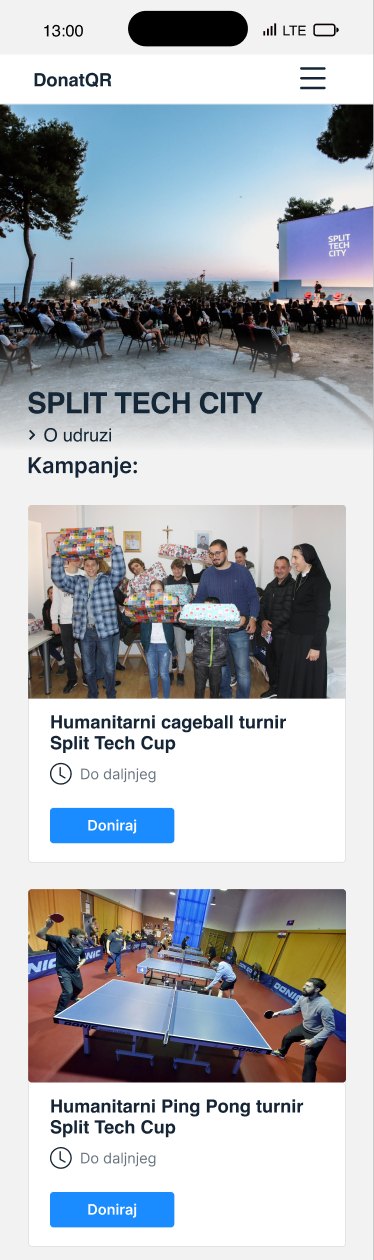
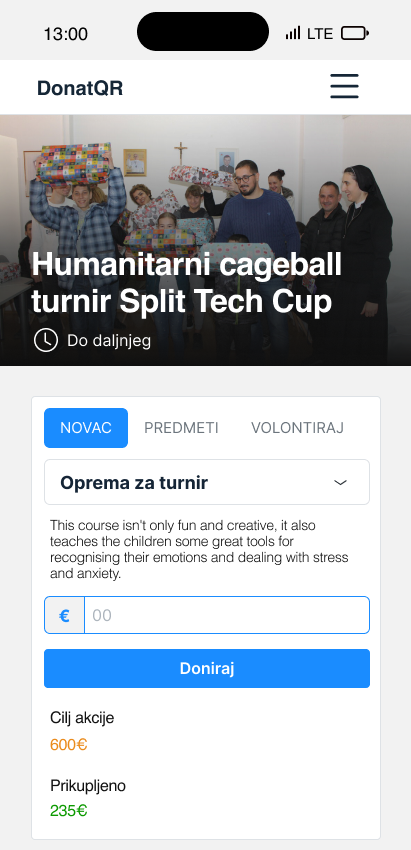
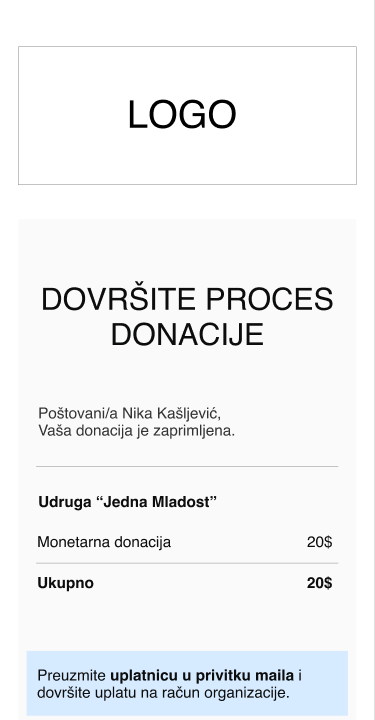
Donors scan a QR code, select a campaign and select how to help: Novac, Predmeti or Volontiraj. Then they get an email in two languages. The email has a payment slip and a QR code to complete the transfer. Organizers create campaigns, set goals and manage donor statuses in a desktop admin.
(Design system)
Built on Bootstrap.
All screens use Bootstrap components, not custom UI. Each Figma element agrees with one Bootstrap class. Thus, developers could build directly from the file. The donor app and the admin are consistent. Forms, modals and focus states are accessible by default.
12
Bootstrap components
2
Platforms, one system
3
Donation types
1
Icon set — Bootstrap Icons
.nav-pills
Change between money, items and volunteer work, on mobile and in the admin.
.input-group
Use for donation amounts and campaign goals. The currency is always visible.
.btn
Use the primary style for the main action. Use the secondary style for all other actions.
.modal
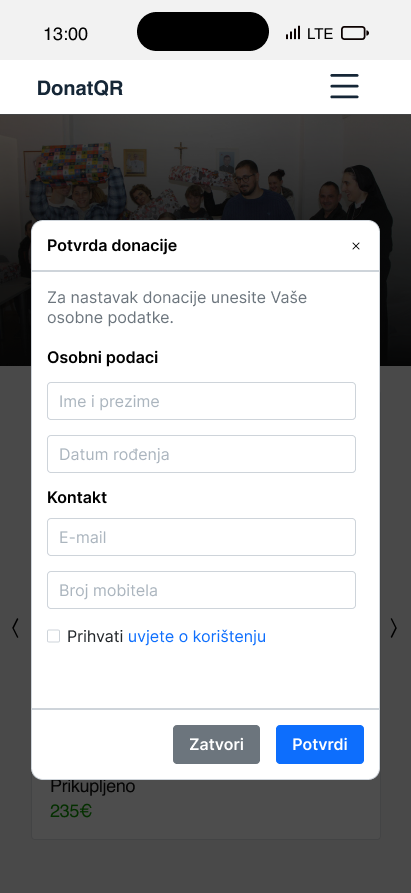
Confirms the donor data on the campaign page.
.dropdown-menu
Campaign actions for organizers: status, overview, reports and share.
.table · .badge · .pagination · icons
Donor lists with statuses and pages. Bootstrap Icons show time, close and sort.
Donor flow
(Mobile web · scan → give → receipt)
01
Choose a campaign
When you scan the QR code, the campaigns of the organization open as Bootstrap cards.
02
Select how to give
Nav pills change the donation type. The goal and the collected amount are always visible.
03
Confirm details
A modal asks only for the necessary data: name, contact and consent.
04
Get the payment slip
An email in two languages gives the slip and the QR code for the bank transfer.
(What I learned)
A design system is a common language
When I designed with Bootstrap terms, developers had fewer questions and built faster.
Limits make decisions clear
Existing components made me focus on the flow and the content, not on decoration.
Design for the moment of donation
At a live event, each extra field can stop a donation. Thus, the flow asks only for necessary data.
Two user groups, one product
Donors need speed. Organizers need control. One system gives both.